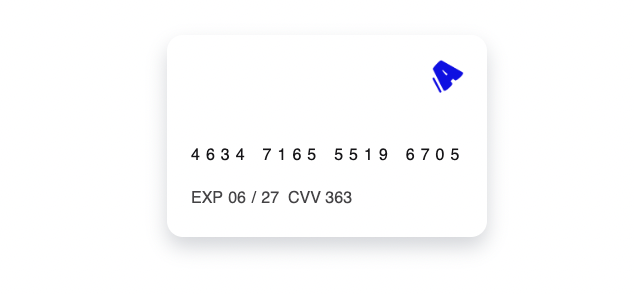
> ## Documentation Index
> Fetch the complete documentation index at: https://docs.saalal.com/llms.txt
> Use this file to discover all available pages before exploring further.
# Alal Card UI
> Alal fournit une interface utilisateur facile à mettre en place pour afficher ces données en toute sécurité à vos utilisateurs sans avoir à mettre en œuvre la conformité PCI DSS.
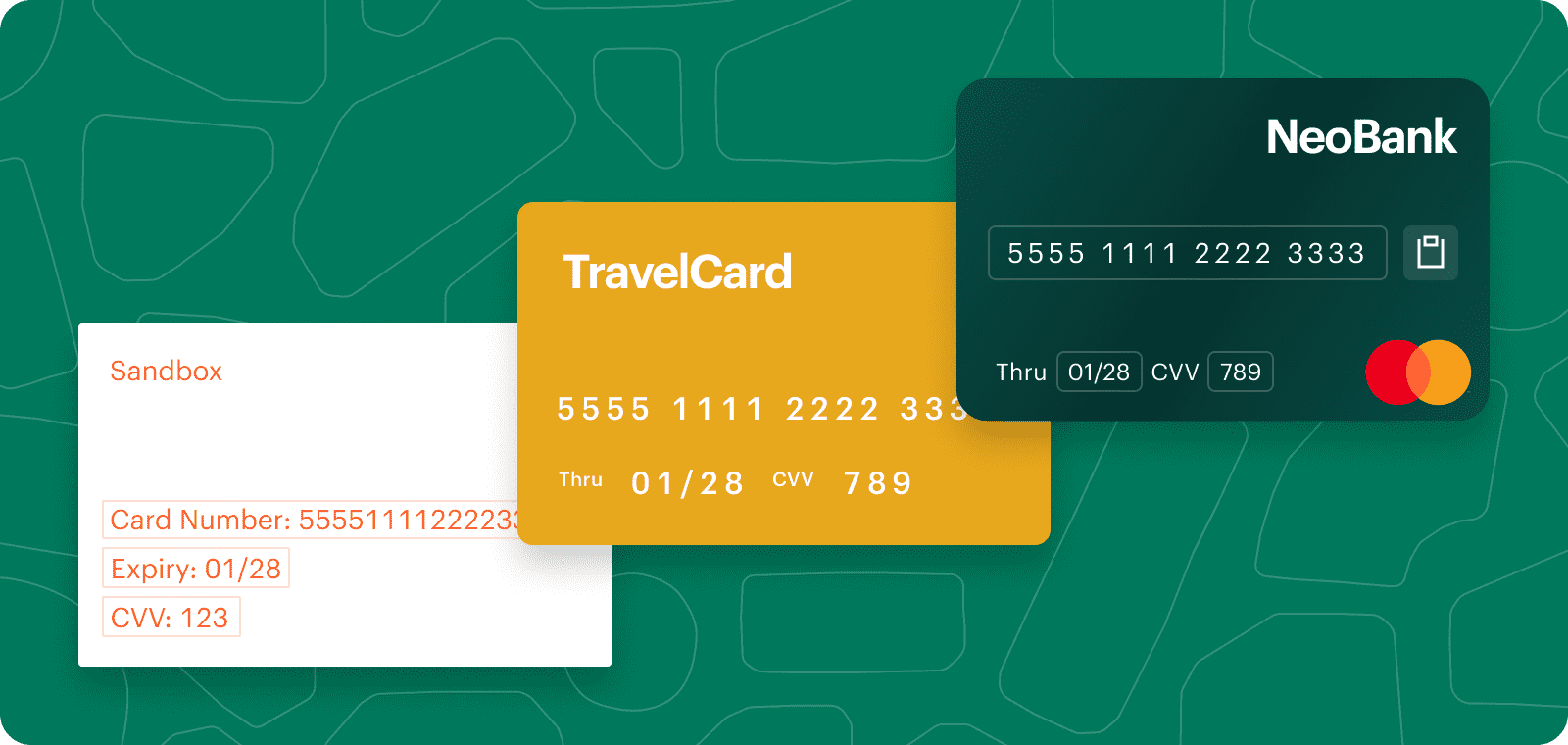 ## Fonctionnement
Alal Card UI est une page web avec un style configurable qui permet d'afficher les données de carte.
Le processus suivant décrit comment Alal Card UI fonctionne :
1. Le backend de votre application soumet la référence de la carte ainsi l'url vers un fichier css et requiert la création de la page via [Get Access Token Card API Reference](/api-reference/cards/get-access-token-card)
Lorsque vous souhaitez modifier le CSS de la carte, modifier juste le CSS
sur votre backend et soumettez à nouveau l'url via [Get Access Token Card
API Reference](/api-reference/cards/get-access-token-card)
```bash Request theme={null}
curl --location 'https://sandbox.saalal.com/api/v1/cards/auth/access_token' \
--header 'Accept: application/json' \
--header 'Content-Type: application/json' \
--header 'Authorization: Bearer ....' \
--data '{
"reference": "366583c6-ba0d-4339-ac44-ccddf53bed4d",
"css_url": "https://youserver.com/card.css"
}'
```
```json Response theme={null}
{
"message": "Access Token generated successfully",
"statusCode": 200,
"data": {
"access_token": "test_POw86MhB8lPJoenu1lUWudUHhKei34bWbGeVxRxbCpkqLWYluE",
"embedded_ui": "https://sandbox.saalal.com/embedded-card-reveal/test_POw86MhB8lPJoenu1lUWudUHhKei34bWbGeVxRxbCpkqLWYluE"
}
}
```
```CSS https://yourserver.com/card.css theme={null}
#card {
border-radius: 16px;
box-shadow: 0 10px 20px rgb(40 51 75 / 20%);
box-sizing: border-box;
background-color: #ff2d36;
/* Add your logo as a background image */
background-image: url("votre logo");
background-repeat: no-repeat;
/* background-position will need adjusting depending on your logo */
background-position: bottom 150px left 190px;
color: #151418;
display: flex;
flex-direction: column;
font-family: "Roboto Mono", sans-serif;
font-size: 16px;
height: 12.61rem;
justify-content: space-between;
line-height: 24px;
margin: 40px auto;
overflow: hidden;
padding: 24px;
position: relative;
user-select: none;
width: 20rem;
}
.pan-separator {
margin: 6px;
}
#pan {
border-radius: 6px;
bottom: 65px;
cursor: pointer;
display: flex;
flex-direction: row;
font-size: 16px;
font-weight: 500;
height: 32px;
justify-content: center;
left: 14px;
letter-spacing: 6px;
line-height: 30px;
padding: 2px 10px 0;
position: absolute;
}
#expiry {
border-radius: 6px;
bottom: 24px;
font-size: 16;
font-weight: 400;
left: 20px;
line-height: 30px;
opacity: 0.8;
padding: 2px 4px 0;
position: absolute;
}
#month, #year {
border-radius: 6px;
cursor: pointer;
line-height: 30px;
padding: 4px 1px;
}
#cvv {
border-radius: 6px;
bottom: 24px;
cursor: pointer;
font-size: 16;
font-weight: 400;
left: 92px;
line-height: 30px;
margin-left: 25px;
opacity: 0.8;
padding: 2px 4px 0;
position: absolute;
}
#expiry::before {
content: 'EXP ';
}
#cvv::before {
content: 'CVV ';
}
#cvv:hover, #pan:hover, #month:hover, #year:hover {
background-color:rgba(0, 0, 0, 0.1);
}
#cvv:active, #pan:active, #month:active, #year:active {
background-color:rgba(0, 0, 0, 0.05);
}
#alert {
display: none;
}
```
2. Ajouter l'url renvoyée dans la réponse `embedded_ui` à un iframe sur la page web de votre choix
```HTML index.html theme={null}
```
3. Et voila !
## Fonctionnement
Alal Card UI est une page web avec un style configurable qui permet d'afficher les données de carte.
Le processus suivant décrit comment Alal Card UI fonctionne :
1. Le backend de votre application soumet la référence de la carte ainsi l'url vers un fichier css et requiert la création de la page via [Get Access Token Card API Reference](/api-reference/cards/get-access-token-card)
Lorsque vous souhaitez modifier le CSS de la carte, modifier juste le CSS
sur votre backend et soumettez à nouveau l'url via [Get Access Token Card
API Reference](/api-reference/cards/get-access-token-card)
```bash Request theme={null}
curl --location 'https://sandbox.saalal.com/api/v1/cards/auth/access_token' \
--header 'Accept: application/json' \
--header 'Content-Type: application/json' \
--header 'Authorization: Bearer ....' \
--data '{
"reference": "366583c6-ba0d-4339-ac44-ccddf53bed4d",
"css_url": "https://youserver.com/card.css"
}'
```
```json Response theme={null}
{
"message": "Access Token generated successfully",
"statusCode": 200,
"data": {
"access_token": "test_POw86MhB8lPJoenu1lUWudUHhKei34bWbGeVxRxbCpkqLWYluE",
"embedded_ui": "https://sandbox.saalal.com/embedded-card-reveal/test_POw86MhB8lPJoenu1lUWudUHhKei34bWbGeVxRxbCpkqLWYluE"
}
}
```
```CSS https://yourserver.com/card.css theme={null}
#card {
border-radius: 16px;
box-shadow: 0 10px 20px rgb(40 51 75 / 20%);
box-sizing: border-box;
background-color: #ff2d36;
/* Add your logo as a background image */
background-image: url("votre logo");
background-repeat: no-repeat;
/* background-position will need adjusting depending on your logo */
background-position: bottom 150px left 190px;
color: #151418;
display: flex;
flex-direction: column;
font-family: "Roboto Mono", sans-serif;
font-size: 16px;
height: 12.61rem;
justify-content: space-between;
line-height: 24px;
margin: 40px auto;
overflow: hidden;
padding: 24px;
position: relative;
user-select: none;
width: 20rem;
}
.pan-separator {
margin: 6px;
}
#pan {
border-radius: 6px;
bottom: 65px;
cursor: pointer;
display: flex;
flex-direction: row;
font-size: 16px;
font-weight: 500;
height: 32px;
justify-content: center;
left: 14px;
letter-spacing: 6px;
line-height: 30px;
padding: 2px 10px 0;
position: absolute;
}
#expiry {
border-radius: 6px;
bottom: 24px;
font-size: 16;
font-weight: 400;
left: 20px;
line-height: 30px;
opacity: 0.8;
padding: 2px 4px 0;
position: absolute;
}
#month, #year {
border-radius: 6px;
cursor: pointer;
line-height: 30px;
padding: 4px 1px;
}
#cvv {
border-radius: 6px;
bottom: 24px;
cursor: pointer;
font-size: 16;
font-weight: 400;
left: 92px;
line-height: 30px;
margin-left: 25px;
opacity: 0.8;
padding: 2px 4px 0;
position: absolute;
}
#expiry::before {
content: 'EXP ';
}
#cvv::before {
content: 'CVV ';
}
#cvv:hover, #pan:hover, #month:hover, #year:hover {
background-color:rgba(0, 0, 0, 0.1);
}
#cvv:active, #pan:active, #month:active, #year:active {
background-color:rgba(0, 0, 0, 0.05);
}
#alert {
display: none;
}
```
2. Ajouter l'url renvoyée dans la réponse `embedded_ui` à un iframe sur la page web de votre choix
```HTML index.html theme={null}
```
3. Et voila !